Know your next step
Work out what you want to change, what you need to learn, and who can help.

Kally Designs · Digital homeowner resource
Home Project Organizer
Know what to gather, who to call, and what to ask next. A practical guide and workbook to help you prepare for an addition or major remodel.
One-time USD payment through Payhip for a licensed PDF download. For general education. Usage, delivery, and refunds.
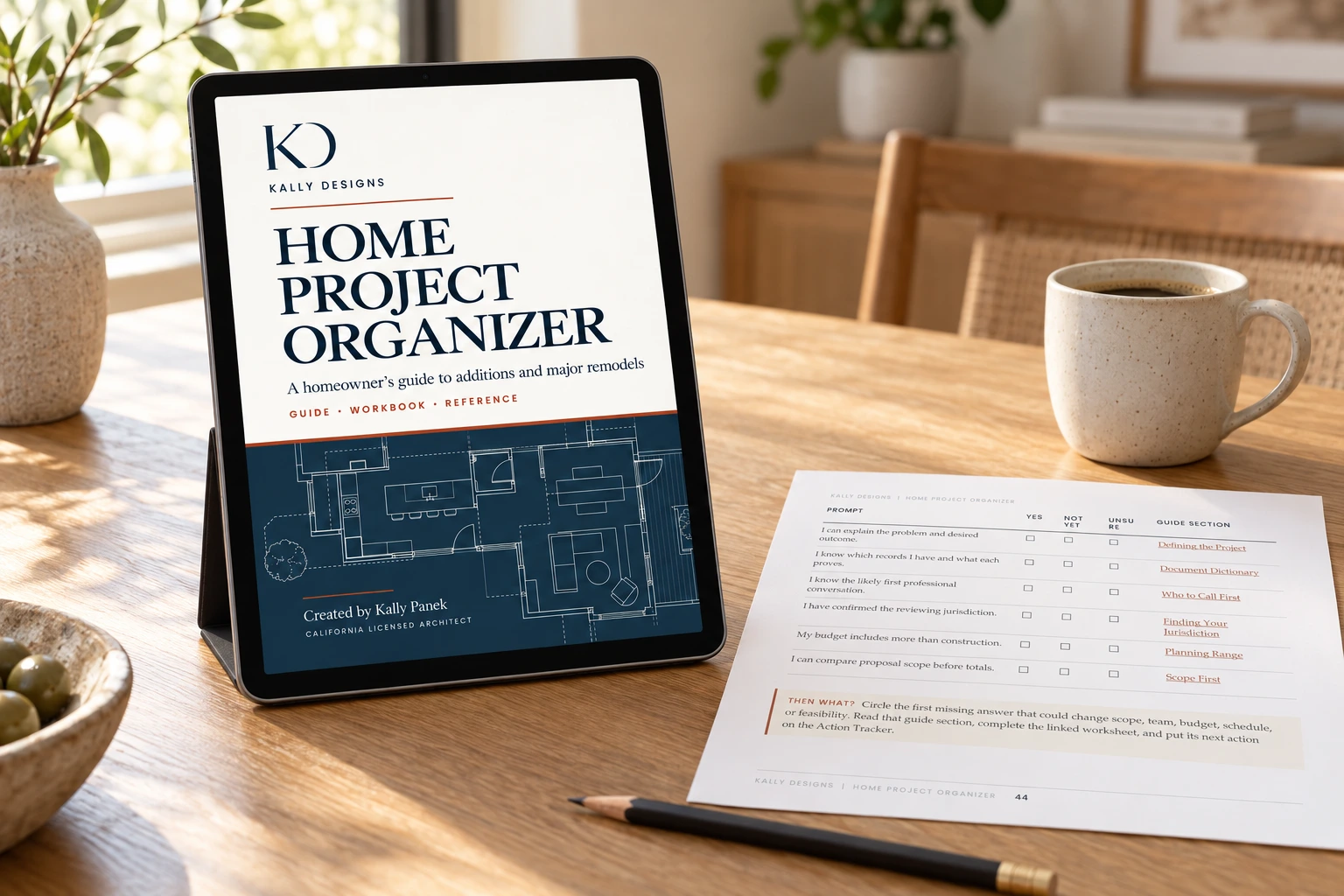
Read on screen or print the worksheets. Illustrative mockup; actual pages shown below. Devices are not included.
Created by an architectKally Panek, California Architect C-41738
Made for homeownersNo design or construction background needed
Useful throughout your projectFrom the first questions to the final details
The starting point
Who should you call first? What should you bring to the meeting? How do you compare two proposals?
The organizer helps you work through those questions and keep your plans, notes, and next steps together.
What it helps you do
Turn your ideas and questions into useful preparation for the people helping with your home.
Work out what you want to change, what you need to learn, and who can help.
Understand the people, paperwork, and stages of a home project.
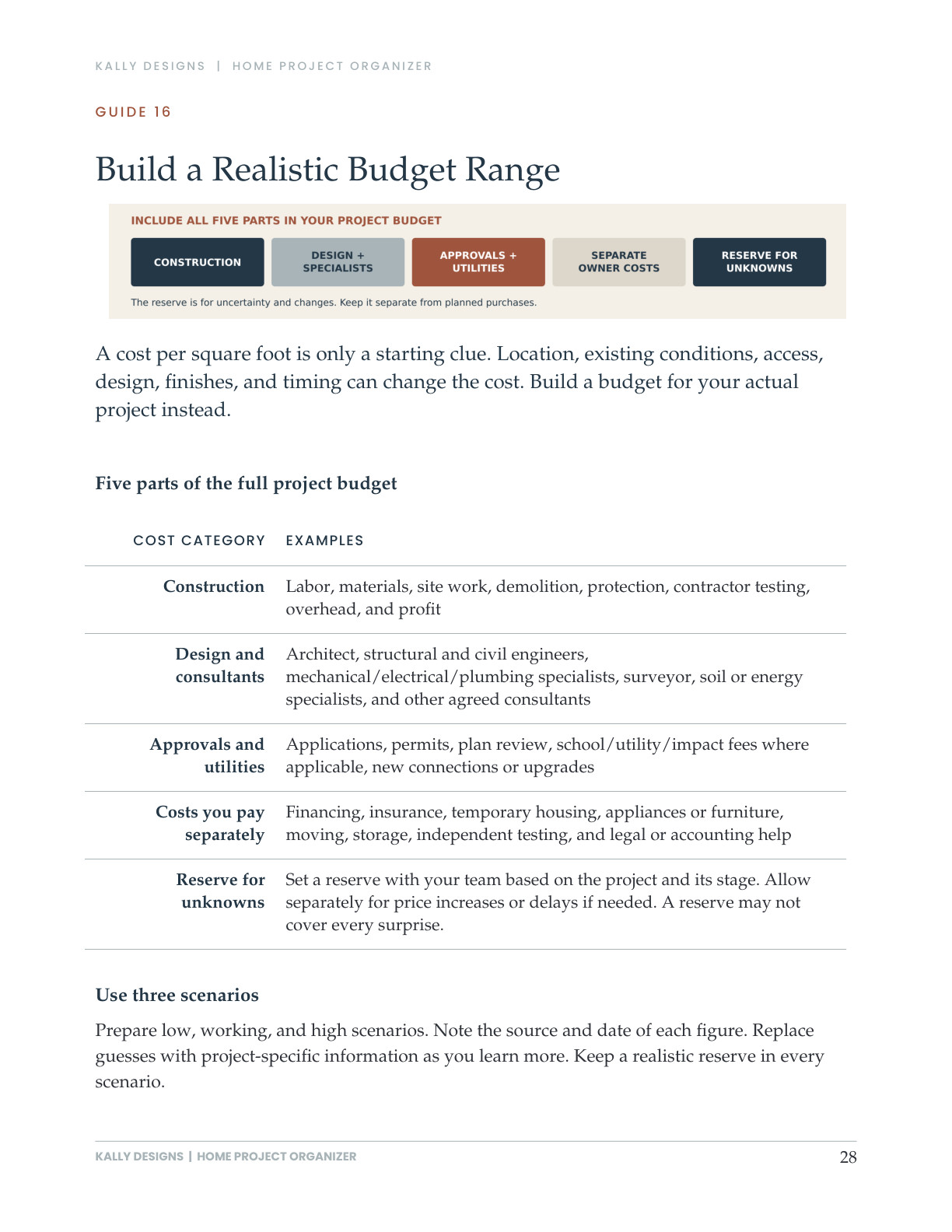
Keep budgets and proposals side by side so you can see what needs a closer look.
Record meeting notes, choices, changes, and follow-up tasks in one place.
What is included
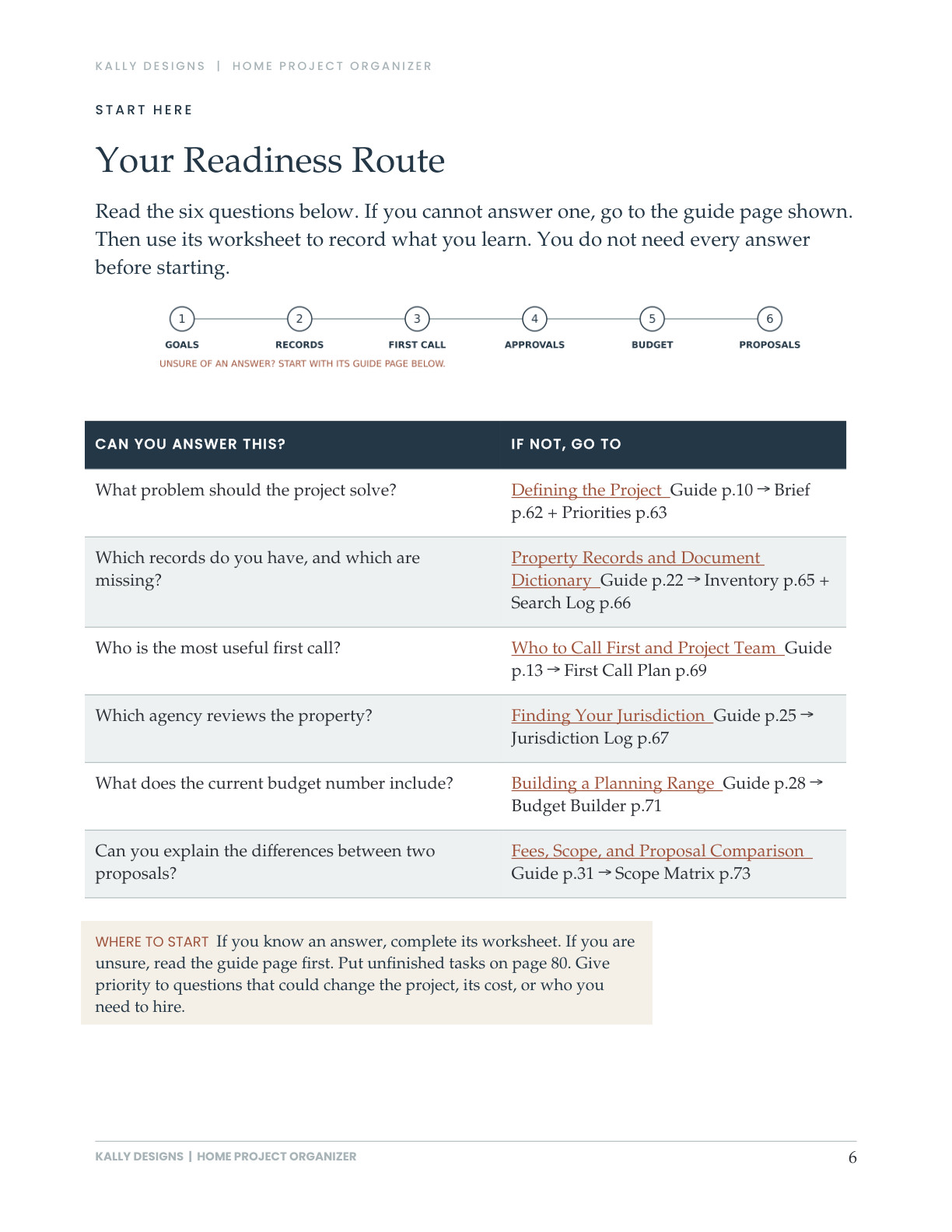
Read the guidance, see a completed example, and use the worksheets for your own project.
 View full-size page
Understand what happens at each stage and what questions to ask.
Organize goals, property records, budgets, proposals, meetings, and decisions.
Look up unfamiliar words when you need them.
Follow the fictional Maple Street project to see how the pages work together.
 View full-size page
Home Project Organizer
One guide, workbook, glossary, and completed example.
One-time USD payment through Payhip for a licensed PDF download. For general education. Usage, delivery, and refunds.
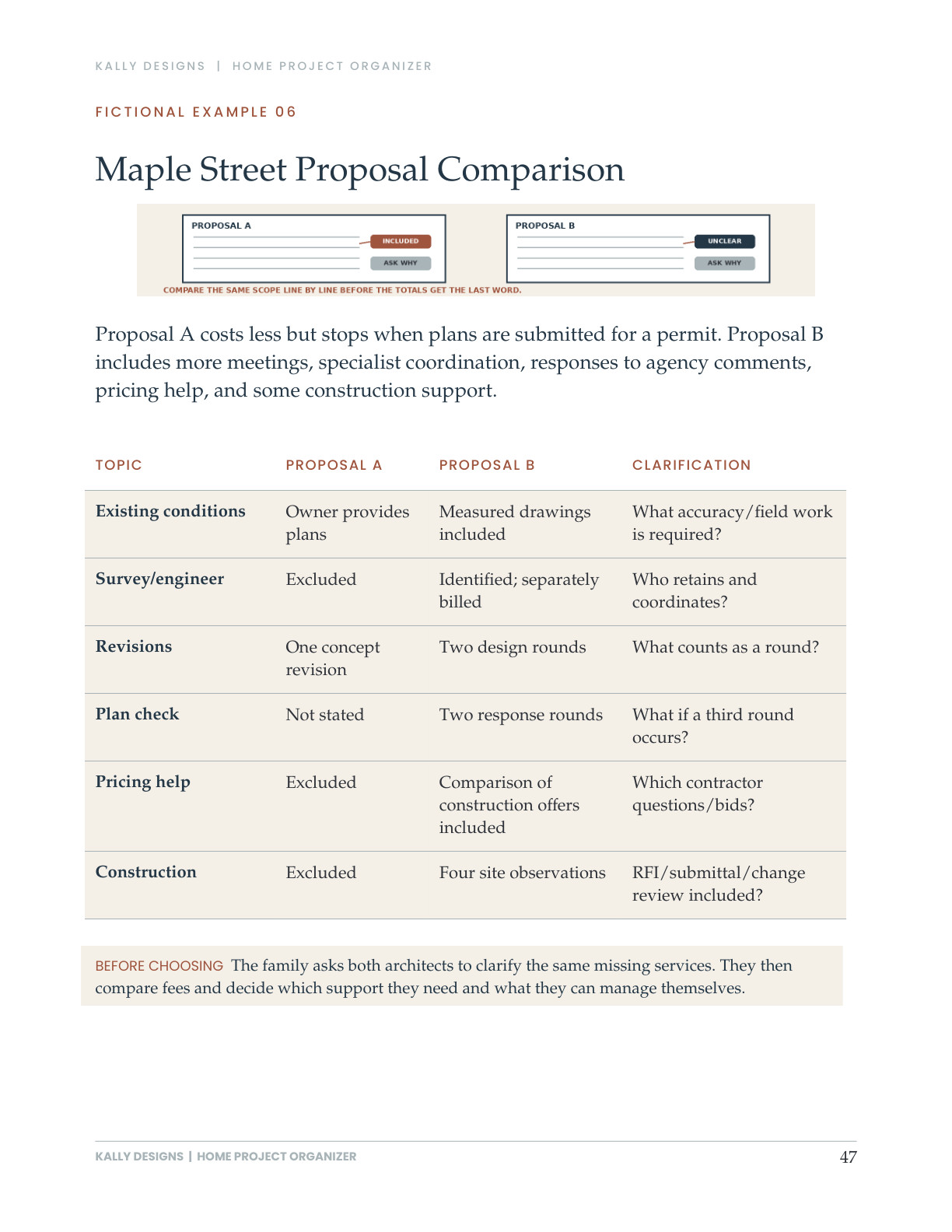
Get the Organizer · $49A completed example
Follow the fictional Maple Street addition from early questions to budgets, proposals, changes, and the final details. Completed pages show what to record and how to compare the information you gather.
 View full-size page
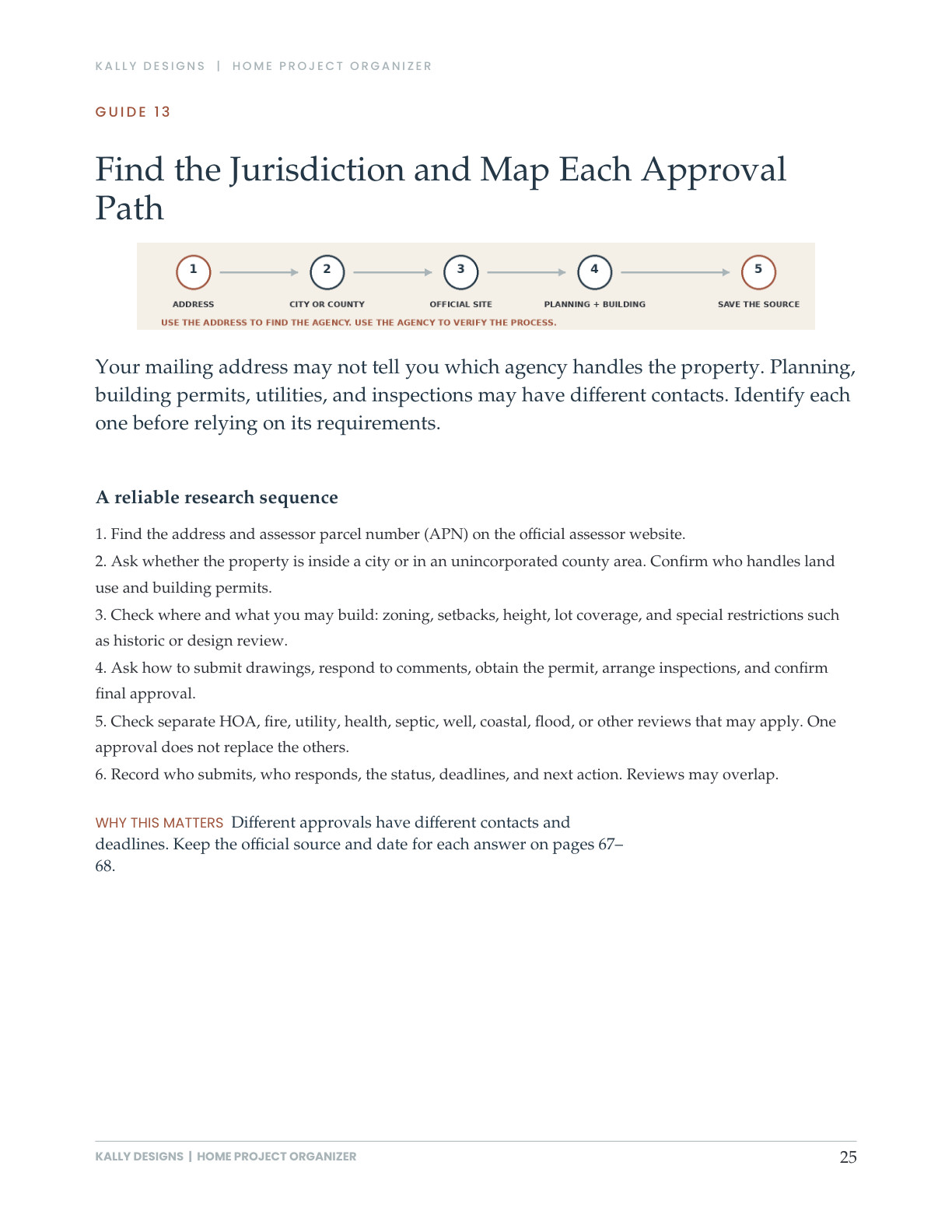 View full-size page
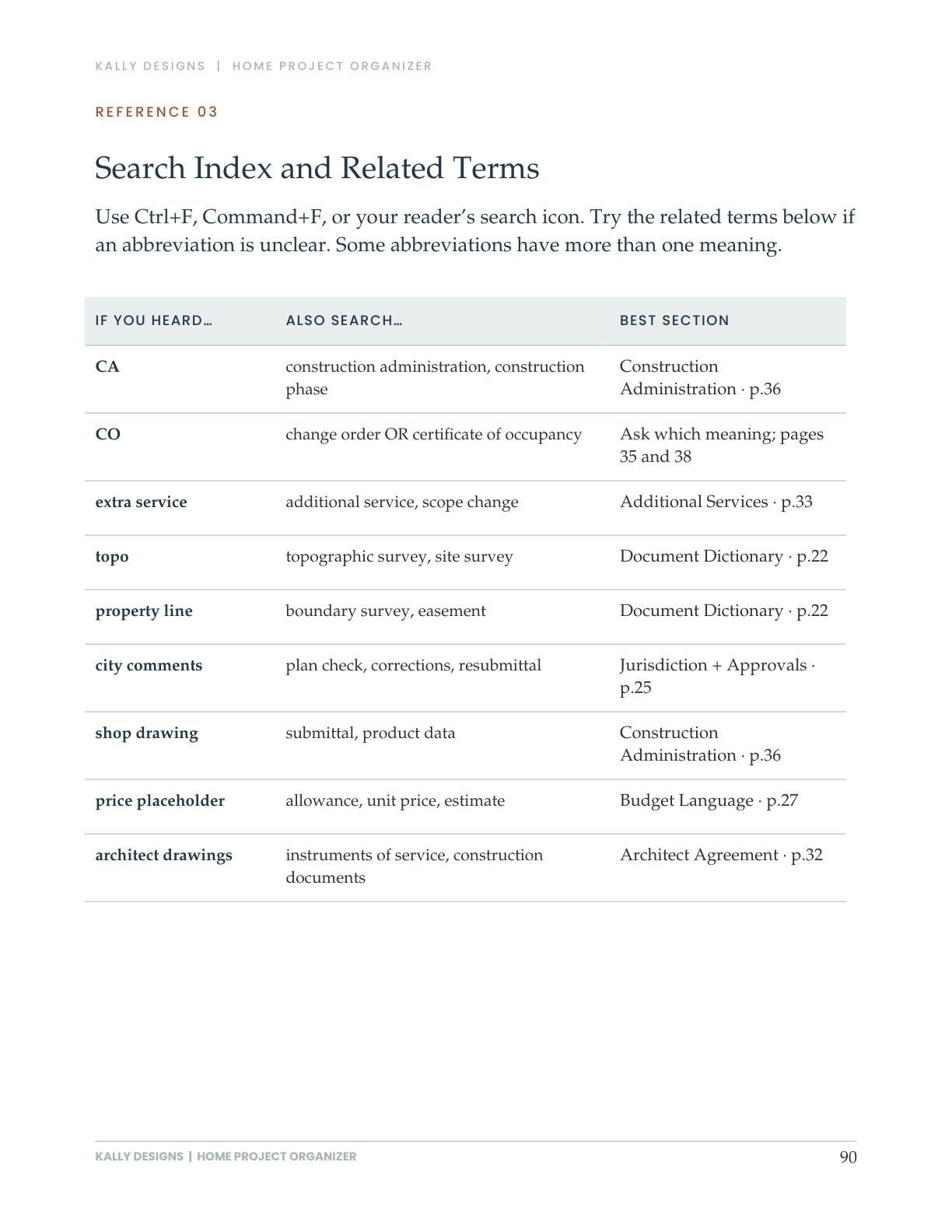 View full-size pageCtrl + F
Searchable during the project
Heard a term you don’t know? Search the PDF for a plain-language explanation, then return to the conversation with a clearer question.
Use it your way
Read the guide on your laptop or tablet, keep it handy for a quick search on your phone, or print the worksheets for handwritten notes.
The PDF is not fillable. You can add notes with a compatible PDF reader.
Why I created this
I created the organizer because homeowners are often expected to make expensive decisions before anyone has clearly explained the process, terminology, documents, or professional roles.
It is the groundwork I wish more people had before those conversations begin. It is not a substitute for project specific architectural work.
Also inside
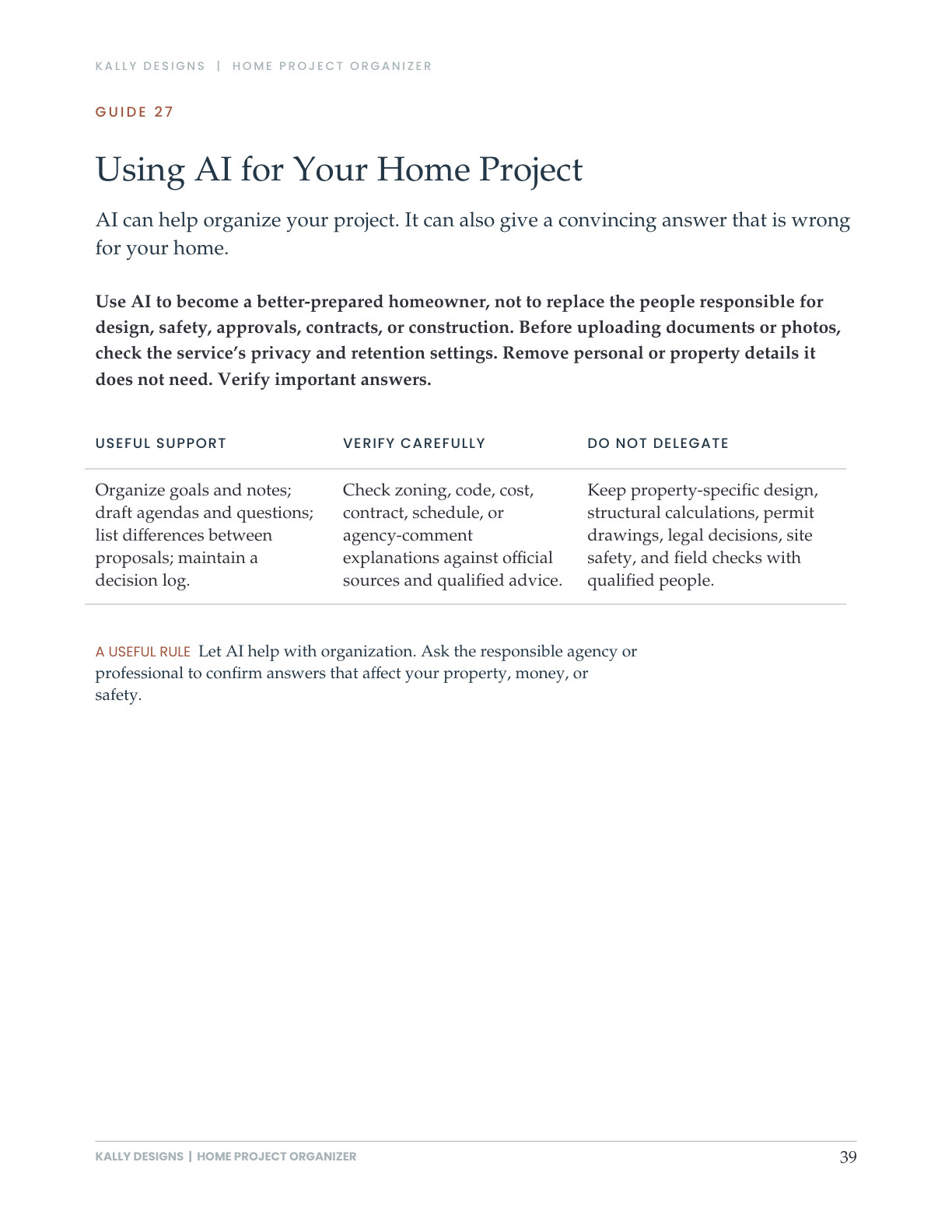
Use AI to organize ideas and prepare questions, with clear guidance on what to confirm with your project professionals.
Leave out names, exact addresses, and confidential drawings or contracts when using an AI tool. Confirm project decisions with your qualified team and local authority.
 View full-size page
Home Project Organizer
Get the complete 94-page guide, workbook, glossary, and completed example.
$49
USD · One-time purchase
Read it, search it, and use the worksheets for your own project.
One-time USD payment through Payhip for a licensed PDF download. For general education. Usage, delivery, and refunds.
Get the Organizer · $49Created by Kally Panek.
Digital PDF download. No physical book or devices included. Any applicable tax is shown at checkout.
Frequently asked questions
After successful checkout, Payhip opens a download page and emails you a receipt with a download link. Save the PDF to your device. If the receipt does not arrive, check spam or contact kallydesigns@outlook.com with your order email.
Homeowners preparing for an addition or major remodel, especially if this is your first significant home project. No design or construction background is needed.
No. The general planning guidance is useful across the United States. California-specific material is identified. Check local requirements with your local planning or building department and your project team.
One 94-page searchable and printable PDF, with internal links and bookmarks. Read it in a PDF reader, add notes with a compatible app, or print worksheets to fill out by hand. The PDF is not fillable.
This is a self-guided organizer. Advice for your particular home and architectural services are arranged separately.
Looking for architectural services?
If you have a Southern California project and want to discuss architectural services, start with the concise project inquiry.
Start a ProjectArchitectural inquiries and digital product support remain separate.